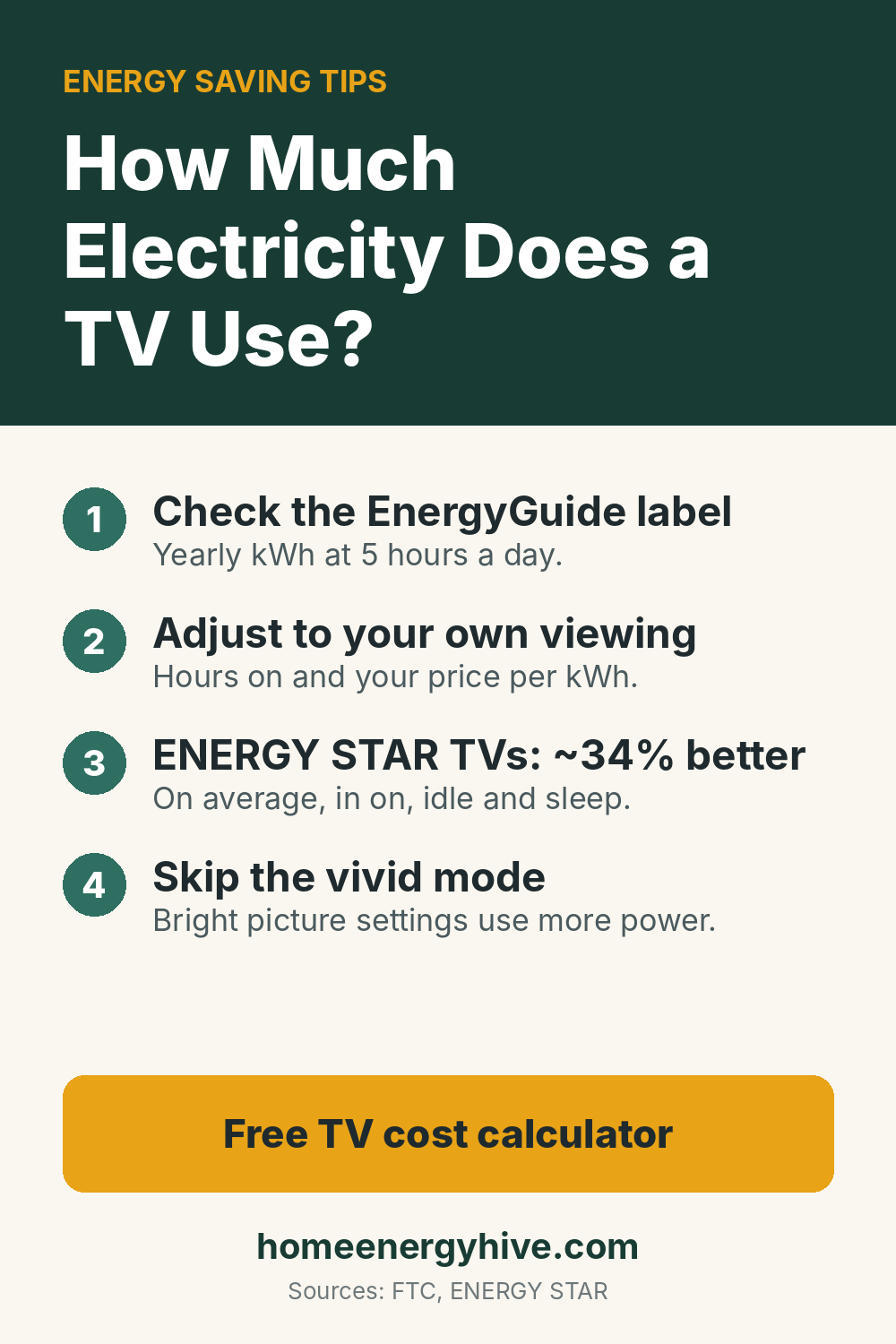
- The yellow EnergyGuide label on a TV shows its yearly kWh and cost, based on 5 hours on and 19 hours in standby a day at 16¢ per kWh (FTC rule).
- Adjust that figure to your own viewing hours and price with the calculator below.
- ENERGY STAR certified TVs are on average about 34% more efficient than conventional models, in on, idle and sleep modes.
- The picture setting matters: a bright “vivid” mode uses more power than the ENERGY STAR preset.
How much electricity does a TV use? Less than most big appliances, but it adds up because many homes have several screens running for hours each day. The good news is that every new TV comes with an EnergyGuide label that does most of the math for you. This guide shows how to read it, how to adjust it to your own habits, and which settings cut the cost without hurting the picture.
How Much Electricity Does a TV Use? Start With the Label
Under the FTC’s Energy Labeling Rule, TV labels show the estimated yearly energy use in kWh and the yearly cost. Both assume 5 hours a day in on mode and 19 hours in standby (sleep), at 16 cents per kWh. The label also places the model on a range so you can compare similar sizes.
Because the label uses fixed assumptions, your real cost can be higher or lower. If you watch 8 hours a day, or pay more than 16¢, you will spend more. The U.S. residential average was 18.16¢ per kWh in August 2026, according to the EIA.
No label? Look for the power use in watts in the manual or on the sticker on the back of the TV, or measure it with a plug-in meter.
Example values only. From the label we estimate on-mode power by spreading the yearly kWh over the label’s 5 hours a day. That ignores standby, so it slightly overstates the on-mode figure. Watts entered directly are used as is.
What Makes One TV Use More Than Another
- Certification. ENERGY STAR says certified TVs are on average about 34% more energy efficient than conventional models, and save energy in sleep, idle and on modes.
- Screen technology. ENERGY STAR notes that most TVs light an LCD screen with LEDs, while OLED TVs have pixels that make their own light, use less energy than LCD screens, but cost more.
- Size. A bigger screen has more area to light. ENERGY STAR suggests measuring your viewing distance and dividing by 2 to get a recommended UHD screen size, and points out that bigger is not always better.
Settings That Cut a TV’s Electricity Use
- Use the ENERGY STAR picture preset. ENERGY STAR explains that TVs ship with picture modes such as “vivid,” “sports” or “cinema,” and recommends the preset carrying the ENERGY STAR label to ensure savings. Bright, high-contrast modes use more power.
- Turn on automatic brightness control. ENERGY STAR says this feature adjusts the screen to the light in the room, saving energy.
- Keep local dimming on, if your TV has it: it dims parts of the backlight for deeper blacks and lower use, according to ENERGY STAR.
- Set the console to save power. ENERGY STAR points out that game consoles can be configured to run more efficiently.
- Turn off what you are not watching. A TV left on in an empty room, or a cable box and sound bar that never sleep, add hours. A smart power strip can switch the extras off with the TV.
Is It Worth Replacing an Old TV to Save Energy?
Usually only if the old one is very inefficient and on for many hours. Compare the yearly kWh on the old and new labels, multiply the difference by your price, and divide the price of the new TV by that number to see the payback in years. For most families the picture, size and features will drive the decision; energy is a bonus. When you do buy, ENERGY STAR’s Product Finder lets you compare certified models.
For a wider view of where your electricity goes, see why your electric bill is so high and our explainer on what a kilowatt hour is.
- Label assumptions from the FTC Energy Labeling Rule (16 CFR 305.25)
- Efficiency figures, technologies and settings from ENERGY STAR’s televisions page
- Electricity price from the EIA’s Electric Power Monthly
- The calculator is our own math
No company pays to appear here, and we have not tested products in person.
Frequently Asked Questions
How much electricity does a TV use per hour?
Its on-mode watts divided by 1,000. A TV drawing 100 watts uses 0.1 kWh per hour. Check the manual, the label or a plug-in meter for your model.
How much does it cost to run a TV per year?
The EnergyGuide label gives a yearly cost at 5 hours a day and 16 cents per kWh. Use the calculator above to adjust it to your hours and price.
Does a TV use electricity when it is off?
In standby it uses a little power so it can wake up quickly. The FTC label includes 19 hours a day of standby in its estimate. ENERGY STAR certified TVs save energy in sleep mode too.
Which TV picture mode uses the least electricity?
ENERGY STAR recommends the preset picture mode that carries the ENERGY STAR label. Bright modes such as “vivid” usually use more.
Our Verdict
How much electricity does a TV use? For most modern sets, a modest amount: the EnergyGuide label gives the yearly kWh at 5 hours a day, and the calculator adjusts it to your own viewing and price. To use less, pick an ENERGY STAR certified model, keep the ENERGY STAR picture preset and automatic brightness on, and switch off the TV and its extra boxes when nobody is watching.
Keep reading
- Smart Power Strip vs Regular: switch off standby devices
- What Is a Kilowatt Hour?: turn watts into dollars
- Energy Saving Myths: what really saves and what does not
Save this guide on Pinterest