- Devices on standby use about 5–10% of a typical home’s electricity, according to the Department of Energy.
- Smart power strips cut that waste automatically when your TV or computer turns off.
- Smart plugs are better for single devices you want on a schedule. Plugs with energy monitoring show you what each device really uses.
- Savings are real but small: often tens of dollars a year, not hundreds.
Smart power strips promise to stop “vampire power”, the electricity your devices use while switched off. But do they save enough to matter? And are they better than a regular strip or a smart plug?
The honest answer depends on what you plug into them. A TV corner with a cable box, console and soundbar can waste a lot. A phone charger wastes almost nothing. Measure first with the calculator below, then pick the right tool.
How Much Do Your Devices Waste on Standby?
Enter the standby watts for each device. The values below are only examples. To know your real numbers, use a plug-in power meter for a few dollars, or a smart plug with energy monitoring.
Payback assumes a $30 smart strip that removes most of this waste. A smart strip itself uses about 1–1.5 watts.
Smart Power Strips vs Regular Strips vs Smart Plugs
| Option | How it cuts standby power | Typical price | Best for |
|---|---|---|---|
| Regular power strip | Only when you flip the switch yourself | About $10–$20 | People who reliably switch things off |
| Smart power strip (master outlet) | Cuts the other outlets when the main device turns off | About $25–$50 | TV corners and home offices |
| Smart plug | Turns one device off on a schedule or from your phone | About $10–$15 each | Single devices, lamps, coffee makers |
| Smart plug with energy monitoring | Same, plus shows how much power the device uses | About $15–$25 each | Finding out which device wastes the most |
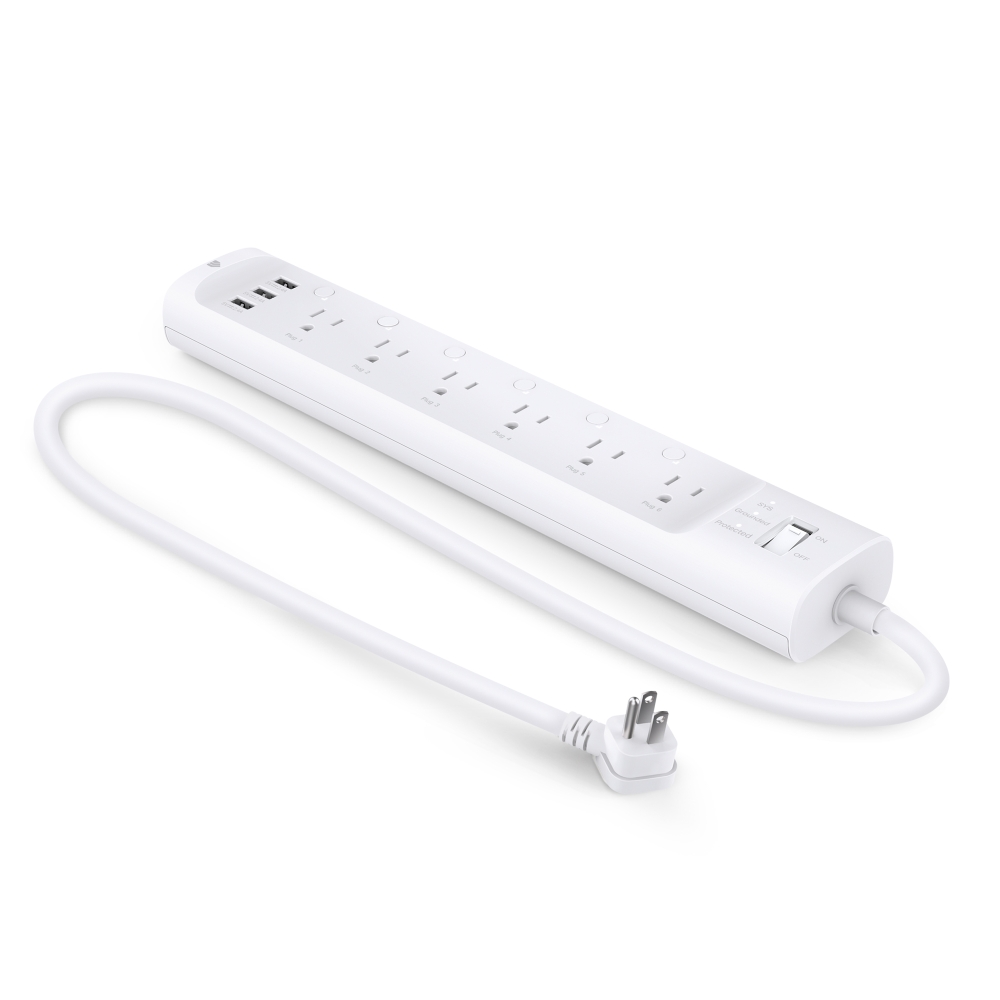
Our recommendation: start with one smart plug with energy monitoring. Move it from device to device for a week each. You'll quickly see which corner of your home wastes the most. Then put a smart power strip there.
Do Smart Plugs Actually Save Energy?
A smart plug only saves energy if the device behind it wastes power when idle, or if you use it to turn something off that you'd otherwise forget. On its own, a smart plug also uses a little power, around half a watt to a watt and a half.
So a smart plug on a phone charger saves almost nothing. A smart plug that switches off a cable box or an old game console can save real money. Space heaters are the exception: the U.S. Fire Administration says to plug them straight into a wall outlet, so never put one on a smart plug or power strip.
What People Found When They Measured
We looked for people who actually measured their standby power. Here is what they found, in our own words. These are individual experiences, not lab tests.
A CNET writer tested dozens of devices at home with a cheap plug-in meter. A smart speaker drew under 2 watts on standby, a game console about 1 watt, and none of the phone or vacuum chargers drew anything measurable. The biggest standby user in the house was the satellite TV box.
Source: CNETA MakeUseOf writer measured his home in standby. His smart TV drew much more than the roughly 3 watts most TVs use, and all the standby loads together made up about a fifth of the home’s lowest “resting” use. He also found a typical smart plug uses under 1 watt itself.
Source: MakeUseOfThe pattern is clear: chargers and new gadgets waste almost nothing, while TV boxes and some smart TVs waste a lot. Measure yours before you buy anything.
When Smart Strips and Plugs Won't Save You Much
- Your devices are new. Many modern TVs and chargers use under 1 watt on standby.
- You need the device ready. Cutting power to a DVR or a router can stop recordings or updates.
- Fridges, freezers, medical devices and space heaters. Never put these on a smart plug or switched strip. Space heaters go straight into a wall outlet.
- You only have a phone charger to cut. The plug can use about as much as it saves.
Quick Setup Tips
- Plug the main device (TV or computer) into the "master" or "control" outlet of a smart strip.
- Put accessories (soundbar, console, printer) in the switched outlets.
- Keep always-on devices (router, DVR) in the "always on" outlets.
- Set smart plug schedules for things you use at fixed times, like a coffee maker.
- Check the energy reports after a month to see what changed.
Watch: How an Advanced Power Strip Works
This short video from Efficiency Vermont, a utility efficiency program, shows how the “master” outlet cuts power to the others when your TV or computer turns off.
Video: How to use an Advanced Power Strip by Efficiency Vermont, on YouTube.
- Standby figures from the Department of Energy and people who measured their own devices
- How each option cuts power: by hand, automatically, or on a schedule
- Typical store prices in October 2026
- How much power the strip or plug uses itself
The TP-Link Kasa HS300 is shown only as an example of a smart strip. We haven’t tested these products in person. No brand paid to be included.
Frequently Asked Questions
Are smart power strips worth it?
They are worth it for a TV corner or home office with several devices. For one or two modern devices, the savings are too small to notice.
How much does vampire power cost per year?
The Department of Energy estimates standby power at 5–10% of a typical home's electricity use, which can be over $100 a year in some homes. Your number depends on your devices.
Is a smart plug or a smart power strip better?
A smart plug is better for one device on a schedule. A smart strip is better for a group of devices that should turn off together.
Do smart plugs use electricity themselves?
Yes, a small amount, usually around 0.5–1.5 watts. That's why they only pay off on devices that waste more than they use.
Our Verdict
Smart power strips are a smart, cheap fix for a TV corner or home office full of devices. Smart plugs with energy monitoring are the best first purchase, because they show you where the waste really is.
Just keep expectations realistic. For most homes, this is a tens-of-dollars-a-year upgrade. It's worth doing, but it won't transform your bill on its own.
Keep reading
- Best Home Energy Monitors of 2026: Emporia Vue 3 and Cheaper Options: find which devices use the most power.
- Energy Saving Myths That Cost You Money, Plus Winter and Summer Tips That Work: tips that really work and myths to drop.
- Why Is My Electric Bill So High? Find the Cause With a Bill Detective and a DIY Energy Audit: find why your bill went up.